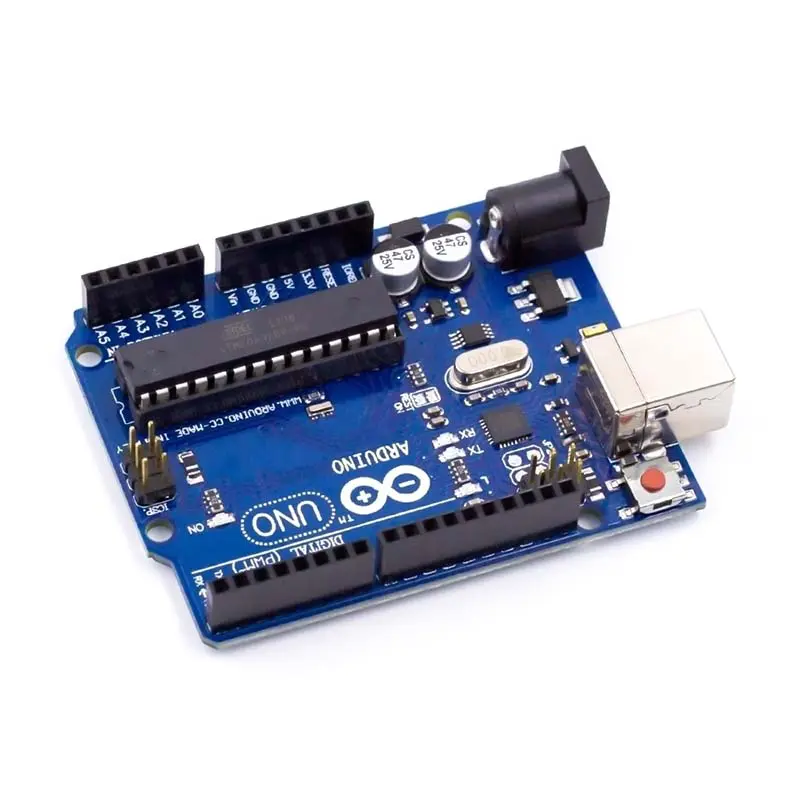
The Arduino Uno R3 is an ATmega328P microcontroller-based development board. This is widely popular in Embedded electronics because of the available resources and easy to use by everybody features. With 14 digital input/output pins where 6 can be configured and used as PWM outputs, 6 as analog inputs is a great addition for I/O related operations. Powered with a 16 MHz ceramic resonator, an USB connection, a power jack, an ICSP header, and a reset button.
In addition to all the features of the previous board, the Uno now uses an ATmega16U2 instead of the 8U2 found on the Uno (or the FTDI found on previous generations). This allows for faster transfer rates and more memory. No drivers needed for Linux or Mac (inf file for Windows is needed and included in the Arduino IDE), and the ability to have the Uno show up as a keyboard, mouse, joystick, etc.
The Uno R3 also adds SDA and SCL pins next to the AREF. In addition, there are two new pins placed near the RESET pin. One is the IOREF that allow the shields to adapt to the voltage provided from the board. The other is a not connected and is reserved for future purposes. The Uno R3 works with all existing shields but can adapt to new shields which use these additional pins.
Arduino is an open-source physical computing platform based on a simple i/o board and a development environment that implements theProcessing/Wiring language. Arduino can be used to develop stand-alone interactive objects or can be connected to software on your computer (e.g. Flash, Processing, MaxMSP). The open-source IDE can be downloaded for free (currently for Mac OS X, Windows, and Linux).
Arduino Uno R3 is one kind of ATmega328P based microcontroller board. It includes the whole thing required to hold up the microcontroller; just attach it to a PC with the help of a USB cable, and give the supply using AC-DC adapter or a battery to get started. The term Uno means “one” in the language of “Italian” and was selected for marking the release of Arduino’s IDE 1.0 software. The R3 Arduino Uno is the 3rd as well as most recent modification of the Arduino Uno. Arduino board and IDE software are the reference versions of Arduino and currently progressed to new releases. The Uno-board is the primary in a sequence of USB-Arduino boards, & the reference model designed for the Arduino platform.The Arduino UNO R3 is frequently used microcontroller board in the family of an Arduino. The main advantage of this board is if we make a mistake we can change the microcontroller on the board. This board is available in DIP (dual-inline-package), detachable and ATmega328 microcontroller. The programming of this board can easily be loaded by using an Arduino computer program. The power supply of the Arduino can be done with the help of an exterior power supply otherwise USB connection. The exterior power supply (6 to 20 volts) mainly includes a battery or an AC to DC adapter. The connection of an adapter can be done by plugging a center-positive plug (2.1mm) into the power jack on the board. The battery terminals can be placed in the pins of Vin as well as GND. While the Arduino UNO can be powered via the USB connection or with an external power supply, the power source is selected automatically.
It includes a LED that can be useful in multiple applications or to test the board functionality. A voltage regulator, better to say an LDO, is available inside this development board to make this Arduino compatible for a wide range of input voltages. The application is very easy, just upload the code, and run.
External (non-USB) power can come either from an AC-to-DC adapter (wall-wart) or battery. The adapter can be connected by plugging a 2.1mm center-positive plug into the board’s power jack. Also leads from a battery can be inserted in the Gnd and Vin pin headers of the Power connector. The board can operate on an external supply of 6 to 20 volts. If supplied with less than 7V, however, the 5V pin may supply less than five volts and the board may be unstable. If using more than 12V, the voltage regulator may overheat and damage the board. The recommended range is 5v to 12v for Arduino Uno
Features:-
- Digital I/O Pins: 14 (of which 6 provide PWM output).
- Analog Input Pins: 6.
- DC Current: 40mA.
- Flash Memory: 32 KB.
- SRAM: 2 KB.
- EEPROM: 1 KB.
- Clock Speed: 16 MHz.
Applications:-
- DIY project prototyping.
- Developing varied varieties of projects that require a code based control.
- Automation System development.
- Learning AVR programming.
- Entry level circuit designing.
Package Contains
1x Arduino UNO R3 without the USB Cable.


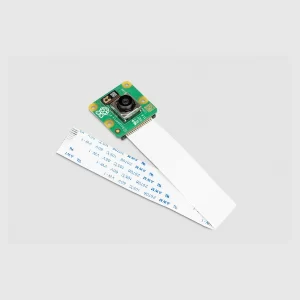
 Official Raspberry Pi Camera NOIR V2
1 × ₹2,199.00
Official Raspberry Pi Camera NOIR V2
1 × ₹2,199.00  Robocat 270 Racing Quadcopter Frame
1 × ₹2,299.00
Robocat 270 Racing Quadcopter Frame
1 × ₹2,299.00  Ready to Sky Q450 Quadcopter Frame – PCB Version Frame Kit with Integrated PCB
1 × ₹840.00
Ready to Sky Q450 Quadcopter Frame – PCB Version Frame Kit with Integrated PCB
1 × ₹840.00 










There are no reviews yet.