

-
×
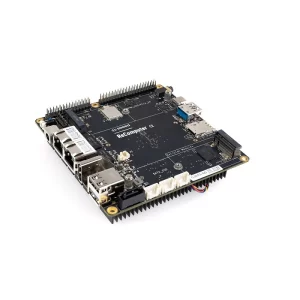 ODYSSEY – X86J4105864 Mini PC (Linux and Arduino Core) with 8GB RAM + 64GB eMMC
1 × ₹24,567.00
ODYSSEY – X86J4105864 Mini PC (Linux and Arduino Core) with 8GB RAM + 64GB eMMC
1 × ₹24,567.00 -
×
 ACEBOTT QD028 ESP32 2-in-1 Football & Battle Car Robotics Kit
1 × ₹7,599.00
ACEBOTT QD028 ESP32 2-in-1 Football & Battle Car Robotics Kit
1 × ₹7,599.00 -
×
 ACEBOTT QE027 ESP32 Intelligent Transportation STEM Kit Compatible with Arduino
1 × ₹8,450.00
ACEBOTT QE027 ESP32 Intelligent Transportation STEM Kit Compatible with Arduino
1 × ₹8,450.00 -
×
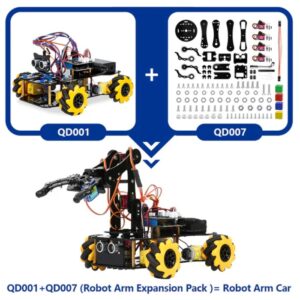 ACEBOTT ESP32 5-DOF Robot Arm Kit Expansion Pack - QD007
1 × ₹2,670.00
ACEBOTT ESP32 5-DOF Robot Arm Kit Expansion Pack - QD007
1 × ₹2,670.00 -
×
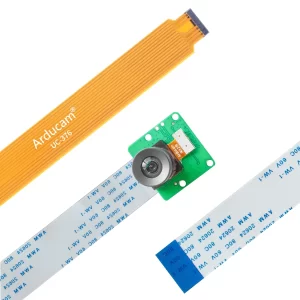
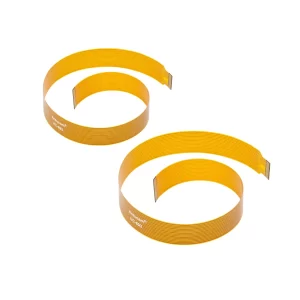 Arducam 300mm Ribbon Flex Extension Cable for Raspberry Pi Zero & W Camera (Pack of 2)
1 × ₹1,449.00
Arducam 300mm Ribbon Flex Extension Cable for Raspberry Pi Zero & W Camera (Pack of 2)
1 × ₹1,449.00
Subtotal: ₹44,735.00











There are no reviews yet.